Wireless Gaming Controller V2 with Screen & Charging Dock – Hall Effect Sticks, RGB, for PC, Switch, iOS & Android (Not for Xbox/PS5)
Wireless Gaming Controller V2 with Screen & Charging Dock – Hall Effect Sticks, RGB, for PC, Switch, iOS & Android (Not for Xbox/PS5)
Couldn't load pickup availability
Wireless gaming controller · built-in screen
The settings live on the controller.
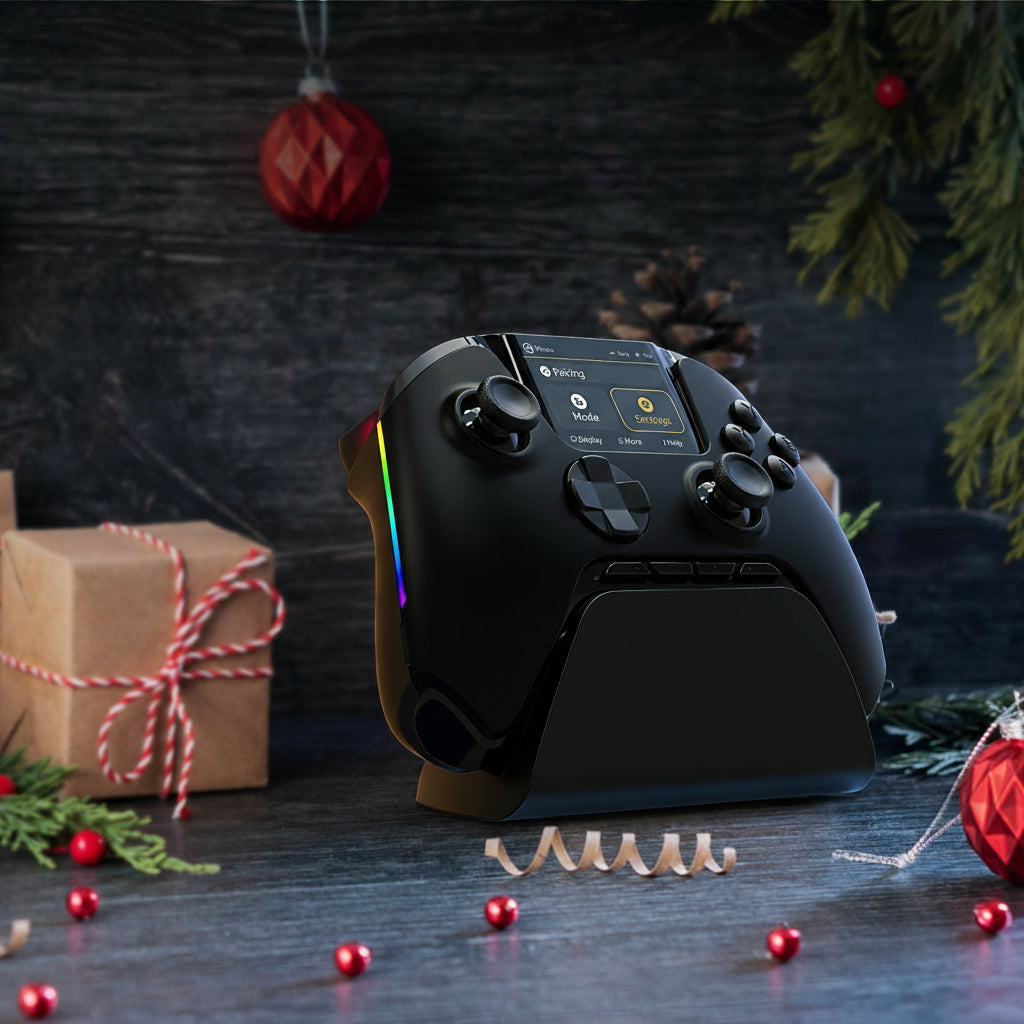
This wireless gaming controller has a small color screen between the sticks that runs its own settings menu. Pair it, remap it, tune the sticks and triggers, and set the lights and vibration on the controller itself, with no app and no PC software.
It works with Windows PCs, Nintendo Switch, Steam Deck, iPhone and Android, and connects three ways: a 2.4 GHz USB receiver, Bluetooth or a USB-C cable. It does not work with Xbox or PlayStation consoles.
The screen
Change a setting mid-game.
Hold the Home button for about three seconds and the menu opens on the screen, which the maker lists at 2 inches. From there you can pair a new device, switch modes, remap any button, record macros, turn on turbo, pick one of four stick response curves, set dead zones and adjust vibration and lighting.
Setups can be saved separately, so a racing game and a shooter can each keep their own. Close the menu and you are back in the game.

Sticks and triggers
Hall-effect sensors, front and back.
Both thumbsticks and both triggers read their position with Hall-effect sensors, which measure a magnet instead of relying on contacts that rub together. Without that wear, they resist the stick drift that slowly ruins ordinary controllers.
On the back, two small trigger locks set how far the triggers travel: a full pull for racing, or a short, quick click for shooters. Four extra back buttons sit under your middle fingers, ready to take any button or a recorded macro.

Three ways to connect
Pick the one that suits the device.
USB receiver
Plug the small receiver into a PC for the steadiest wireless link. It stores in a slot under the charging dock when you are not using it.
No receiver needed
Pairs with Switch, Steam Deck, iPhone and Android. Pick the matching mode on the screen, then pair from the device.
Wired
Plug in the included cable for wired play on a PC, where the maker quotes polling at up to 800 Hz.
Compatibility
What it works with, and what it doesn't.
Lights and charging
Set it in the dock, pick it up charged.
The included dock charges the controller through contacts on its back, so there is no cable to plug in each night. Inside is a built-in 1800 mAh battery. In one reviewer's test it lasted about 10 hours per charge, and 7 to 9 hours with the lights, rumble and screen turned all the way up.
Light strips run down both grips. Choose the color, brightness and effect on the screen, or switch them off to stretch the battery.

What arrives
Controller, dock and the extras.
Specifications
The details, plainly.
Worth knowing before you buy
The honest small print.
- Not for Xbox or PlayStation. It will not connect to any Xbox or PlayStation console, and the maker says it does not work with GeForce Now.
- The screen is for settings. It shows the controller's own menu, connection and battery, not your game.
- On a PC, the receiver beats Bluetooth. Bluetooth works, but the maker recommends the USB receiver for a steadier connection.
- Steam may need one setting changed. If a game on Steam misreads the controller, turning off Steam Input for that game usually fixes it.
- It cannot wake a Switch 2. Turn the console on first, then pick up the controller.
A controller you set up on the controller.
Hall-effect sticks and triggers, four back buttons, lit grips and a charging dock, for PC, Switch, Steam Deck, iPhone and Android.