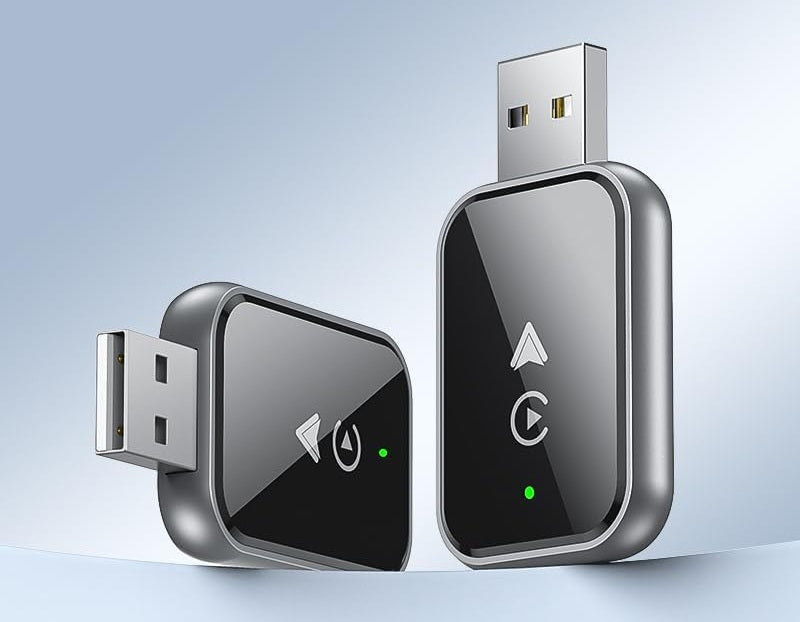
Wireless CarPlay Adapter – Mini Wired-to-Wireless Dongle for iPhone
Wireless CarPlay Adapter – Mini Wired-to-Wireless Dongle for iPhone
Couldn't load pickup availability
Your car's wired CarPlay, without the cable
If your car already runs Apple CarPlay when you plug your iPhone in with a cable, this small adapter takes the cable out of the routine. It plugs into the same USB port, you pair your iPhone with it once, and from then on CarPlay comes up on the car's screen with your phone still in your pocket, your bag or the cupholder.
Maps, calls, messages, music and Siri work the way they already do in your car. The adapter does not add apps or features of its own. It replaces the wire, and that is all it is for.

Check your car before you order
A wireless adapter converts CarPlay your car already has. It cannot add CarPlay to a car that does not have it. Three things need to be true:
- Your car already has wired CarPlay. Plug your iPhone in with a cable today. If CarPlay appears on the screen, you are set. If it does not, this adapter will not change that.
- You use an iPhone. This adapter is for Apple CarPlay. It does not support Android Auto.
- Your car has a USB-A port. The adapter has a standard rectangular USB-A plug. If your car only has the small oval USB-C ports, you will need a small USB-C to USB-A adapter, which is not included.
Some cars only run CarPlay from one particular USB port, usually the one marked with a phone or data symbol. Use that one.
Setting it up
- Plug it in. Start the car and put the adapter into the USB port you normally use for CarPlay. The green light comes on.
- Pair once. On your iPhone, turn on Bluetooth and Wi-Fi, find the adapter in your Bluetooth list and pair it, then accept the CarPlay prompt on your phone.
- Drive. CarPlay opens on the car's screen. Next time, it reconnects on its own after you start the car.
No app to download and no wiring. The adapter takes its power from the car's USB port, so it switches on and off with the car.

What to expect from wireless CarPlay
Wireless CarPlay is convenient, and it behaves a little differently from a cable. It is worth knowing before it arrives:
- It takes a moment after you start the car. The adapter powers up with the car and then connects to your phone, so CarPlay appears a short while after the car's screen does rather than the instant you plug in a cable.
- Your phone is not charging. The adapter uses the USB port, so your iPhone is not being charged by the car while it runs. Wireless CarPlay also uses a little more phone battery than a cable. On long drives, use a charger or another port.
- Crowded Wi-Fi can interfere. In busy city traffic or a crowded parking garage, audio or the map can occasionally stutter or drop. Unplugging the adapter and plugging it back in usually clears it.
- Two iPhones in the car. It connects to the phone it last paired with. To switch drivers, pair the other phone from its Bluetooth settings.
Specifications

What arrives
- One wireless CarPlay adapter.
- Nothing else. No cable and no USB-C adapter.
Apple, CarPlay and iPhone are trademarks of Apple Inc. This is an independent accessory. It is not made, sponsored or endorsed by Apple.